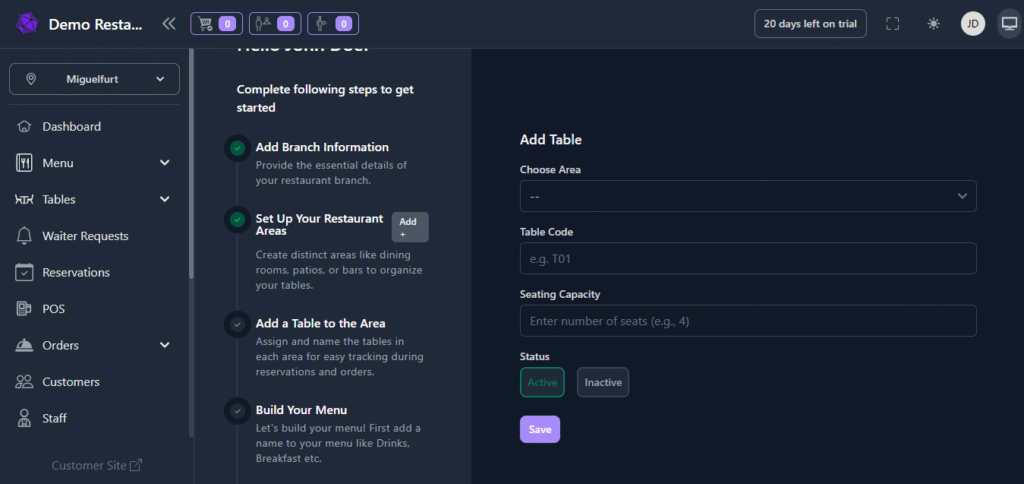
Now it’s time to set up your restaurant’s tables within each area.
- Open the “Add Tables” section.
- Select the area where you want to add tables — for example, Rooftop, Indoor Hall, or Outdoor Seating.
- For each table, enter:
- A unique table number (no duplicates across the restaurant).
- The seating capacity (number of guests the table can accommodate).
- Repeat the process for all areas until every table in your restaurant is added.
- Once done, click “Next: Add Menu” to continue.